One PC.
Many USB drives at once.

Free to download · Parallel high-speed copying, MD5 verification and file comparison — without the cost of a hardware duplicator.

Windows 10 / 11 · x64 · ARM64

Duply USB batch copy screen: several USB drives with individual progress, speed and time remaining

Who it's for

Built for people who make drives in bulk

IT administrators
Prepare a whole batch of OS installers and toolkit drives before a rollout, instead of babysitting them one by one.
Hardware & firmware engineers
Write firmware updates and production images to USB, with every drive MD5-checked against the source.
Event & conference organizers
Hand out slides, handouts and media in volume. Pull the finished drive, plug in the next — the line never stops.

Features

01 Batch copy

Fill every USB port. Write them all at once.

Each device shows its own progress, speed and time remaining. Copies are MD5-verified automatically, and cancelled jobs clean up their partial files.

  1. Pick a source folder
  2. Plug in drives
  3. Press Start
  4. Swap and repeat

Works with USB flash drives, SD / MicroSD cards and external hard drives.
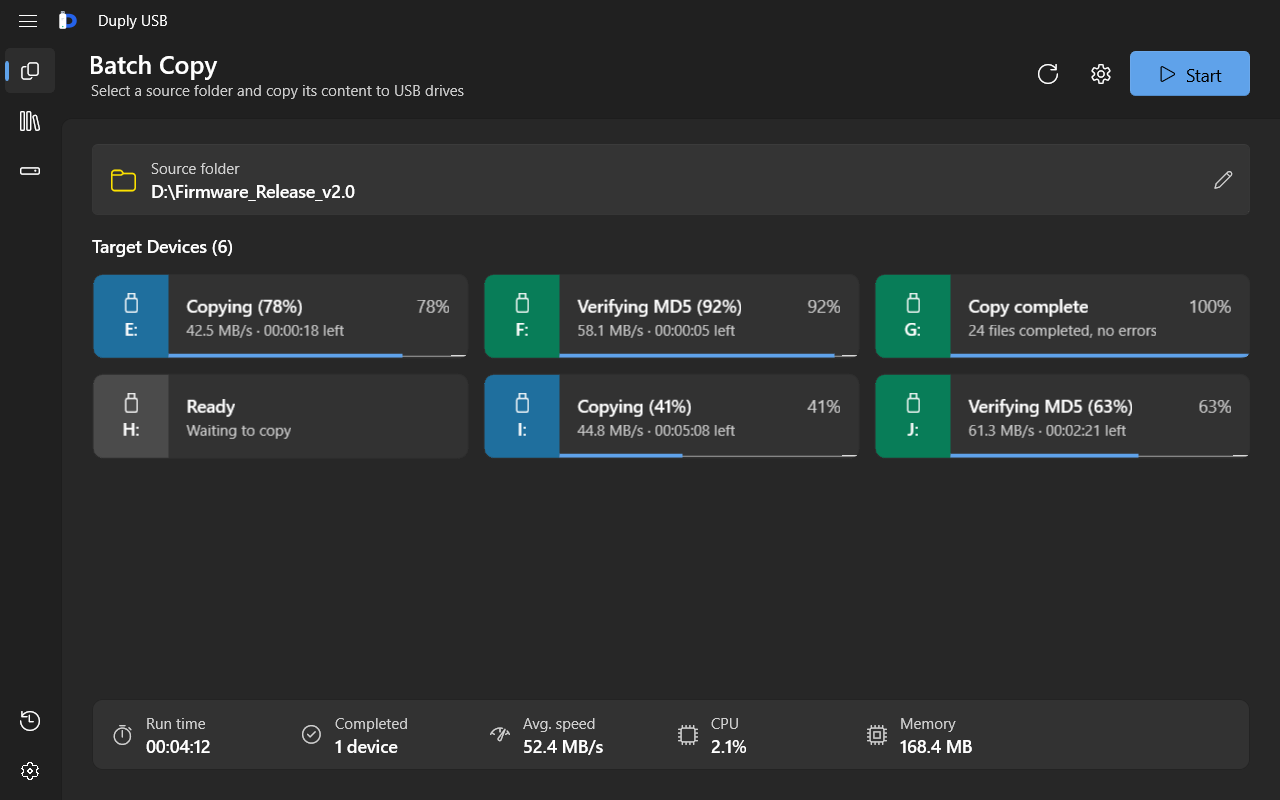
Duply USB batch copy screen: several USB drives with individual progress, speed and time remaining

02 File compare

Are the drives you handed out still right?

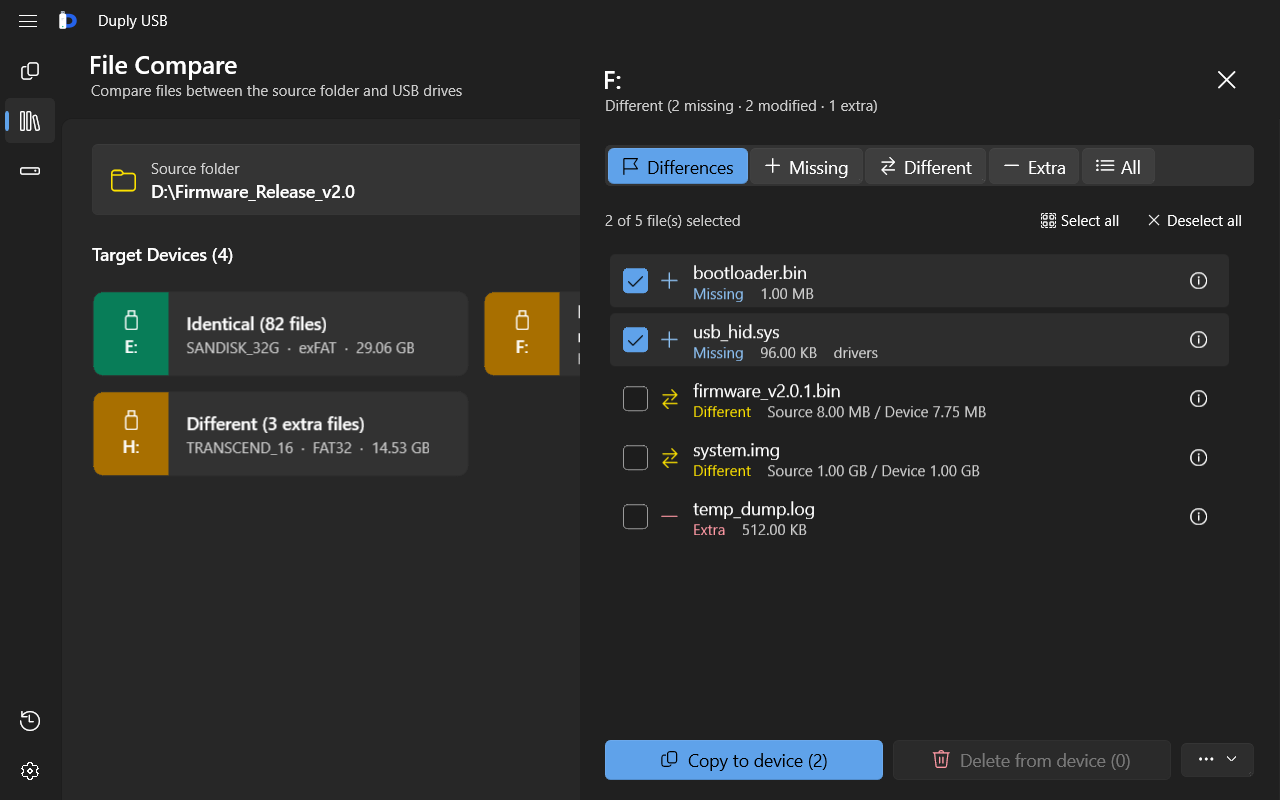
Compare each drive against the source folder to find missing, modified and extra files. Sync the gaps in one click, or collect the extras back.

  • Missing
  • Different
  • Extra
Duply USB file compare screen: missing, different and extra files highlighted per drive

03 Batch format

Format a whole row — never the system disk

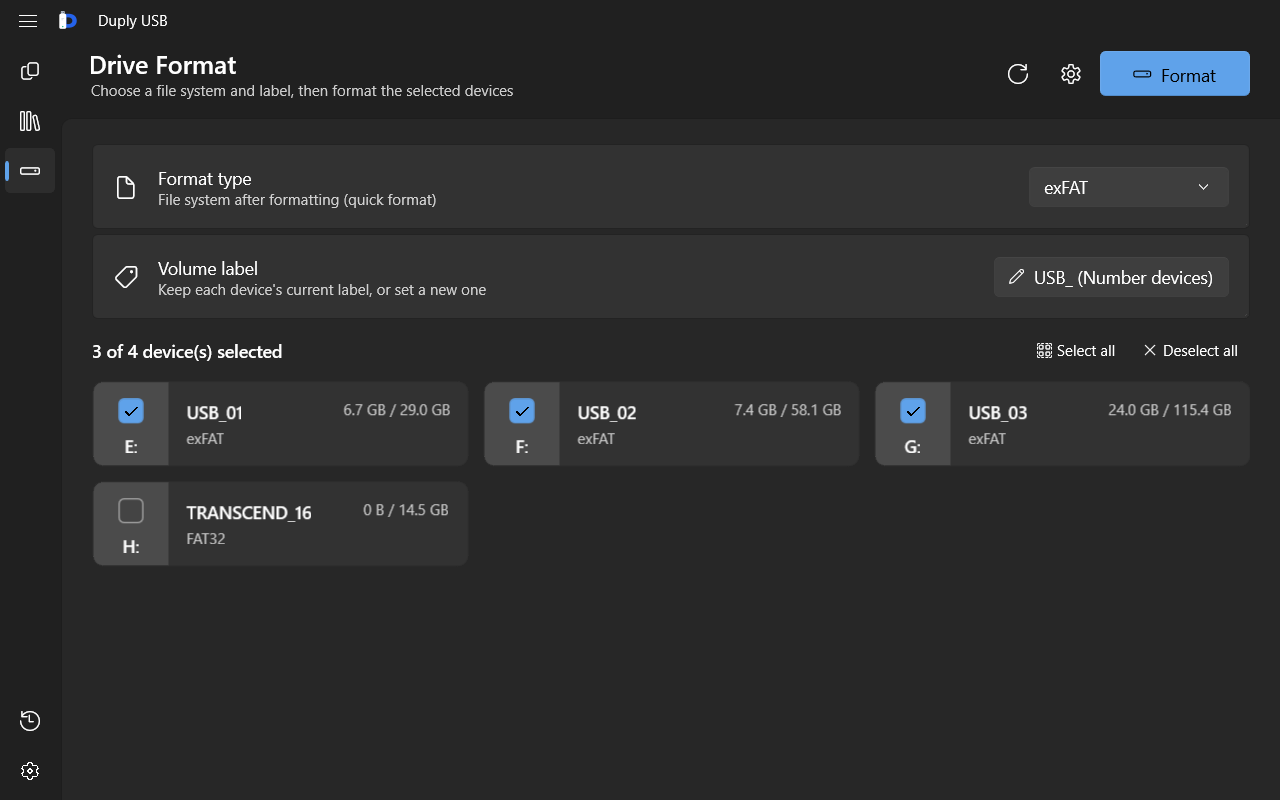
exFAT, NTFS, FAT32 or FAT, keeping existing labels or numbering them USB_01, USB_02… The volume GUID is re-checked first, and system and internal disks are always refused.

Duply USB batch format screen: file system and volume label options for multiple drives

04 History

Every job, on the record

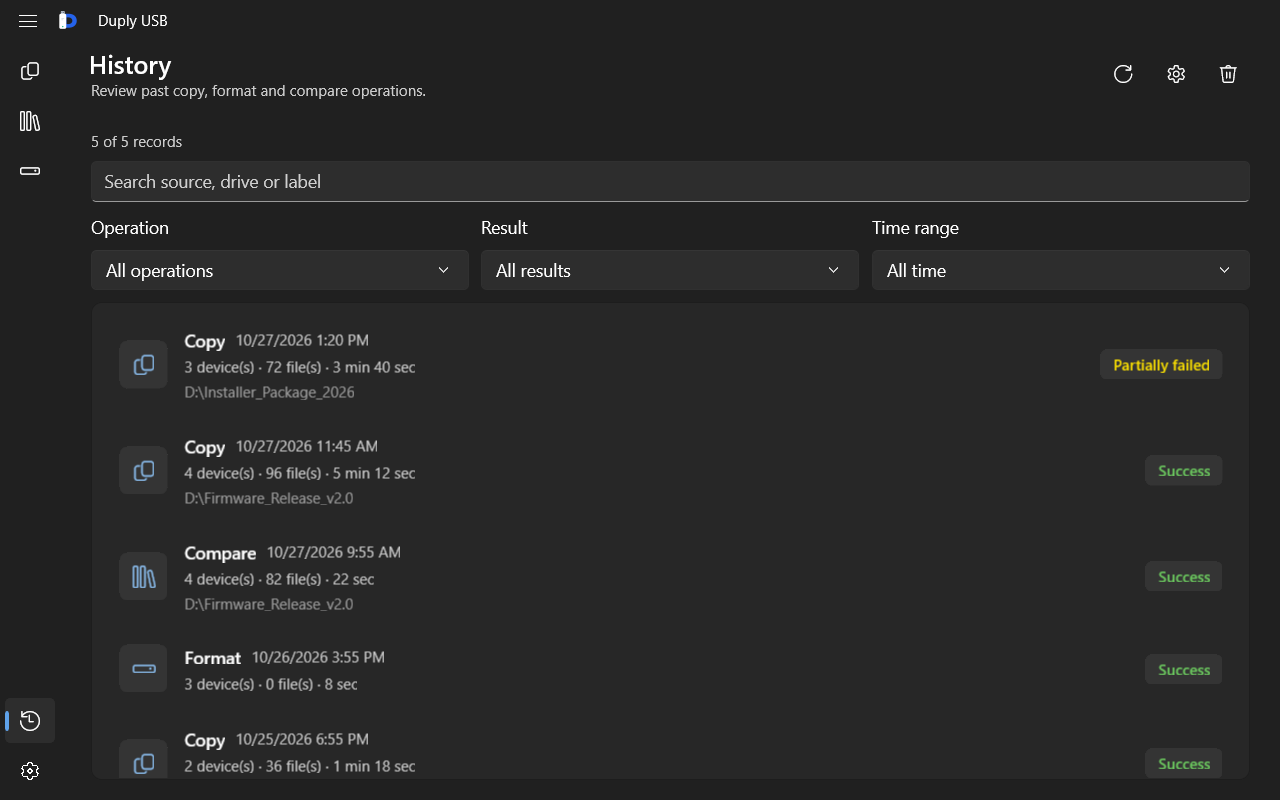
Filter by operation, result and date, drill into per-device details, and export a Markdown report.

Duply USB history screen: filterable list of copy, compare and format jobs

Windows 11 Fluent UI · Dark / Light themes · 8 languages · Runs in the system tray

Pricing

Same features. The only difference is how many drives at once.

FreeFull Version
PriceFreeOne-time purchase
Devices per copy / compare2Unlimited
Cycling mode, MD5 verification, file sync✓✓
Batch formattingUnlimitedUnlimited
History and settings✓✓

The Full Version is an in-app purchase tied to your Microsoft account, so it stays valid after reinstalling. Previous buyers keep their license automatically.

FAQ

What are the system requirements?

Windows 10 (1809) or later, or Windows 11, on x86, x64 or ARM64.

Could it format my computer's own disk by mistake?

No. The volume GUID is re-checked before formatting, and system drives, the app's own drive and fixed internal disks are always refused. You can also require confirmation or only process empty devices.

Do I need administrator rights?

Copying to and formatting ordinary USB flash drives works as a standard user.

What's the difference between Free and Full?

The features are identical. The only difference is how many devices you can copy to or compare at once: 2 on Free, unlimited on Full.

Which languages are supported?

English, Traditional Chinese, Simplified Chinese, Japanese, Spanish, German, French and Italian — switchable while running — with Dark and Light themes.

Hand the repetitive work to Duply USB

Turn any PC into a USB duplicator.

Get it fromMicrosoft Store